Voiding an Item
If there are multiple walk bookings on an order and you want to remove one of them
then you’ll have to remove it by voiding the item
Void an order Item
- Bring up the order in question. When there is more than one item then a void link
is present after each item.
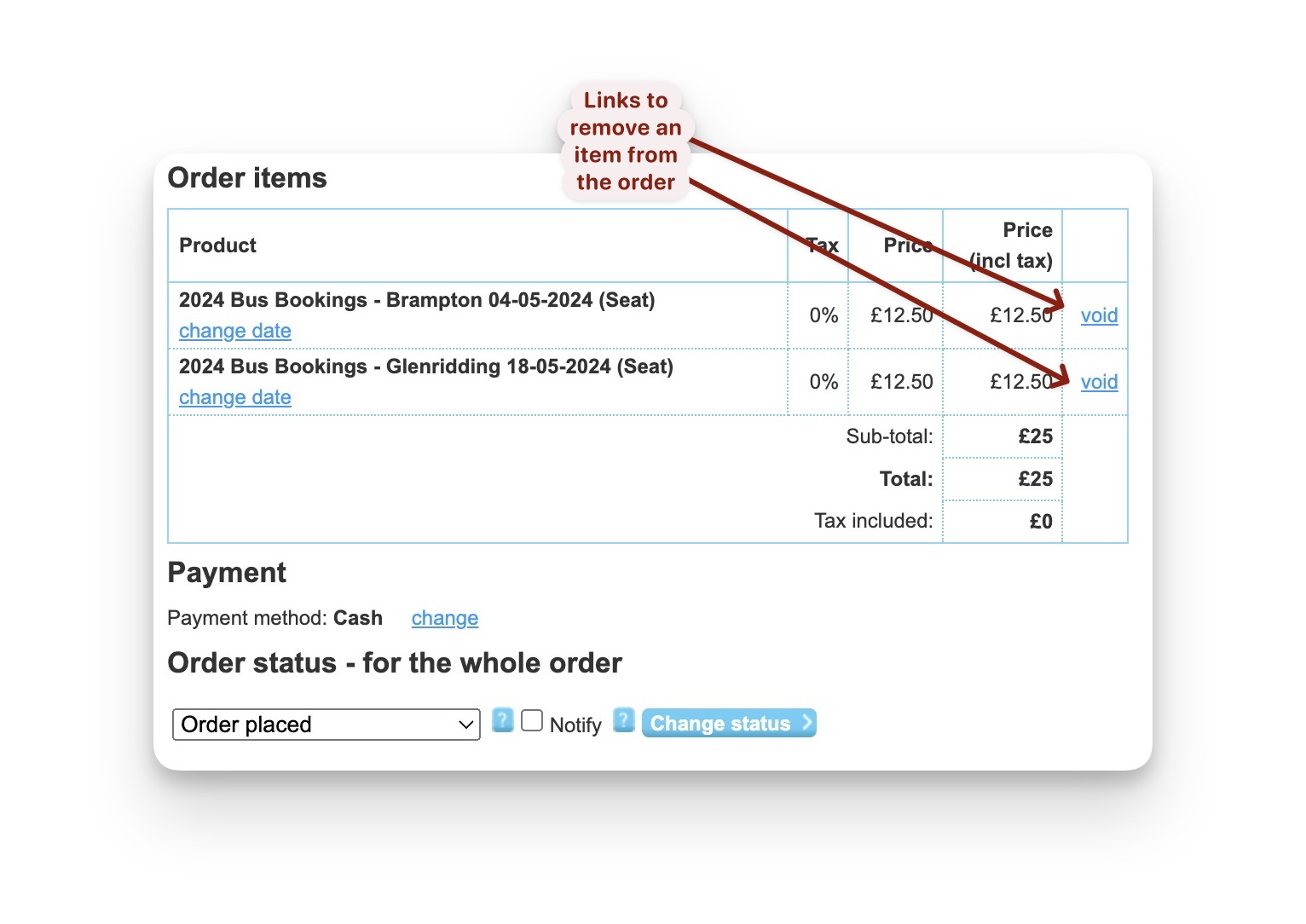
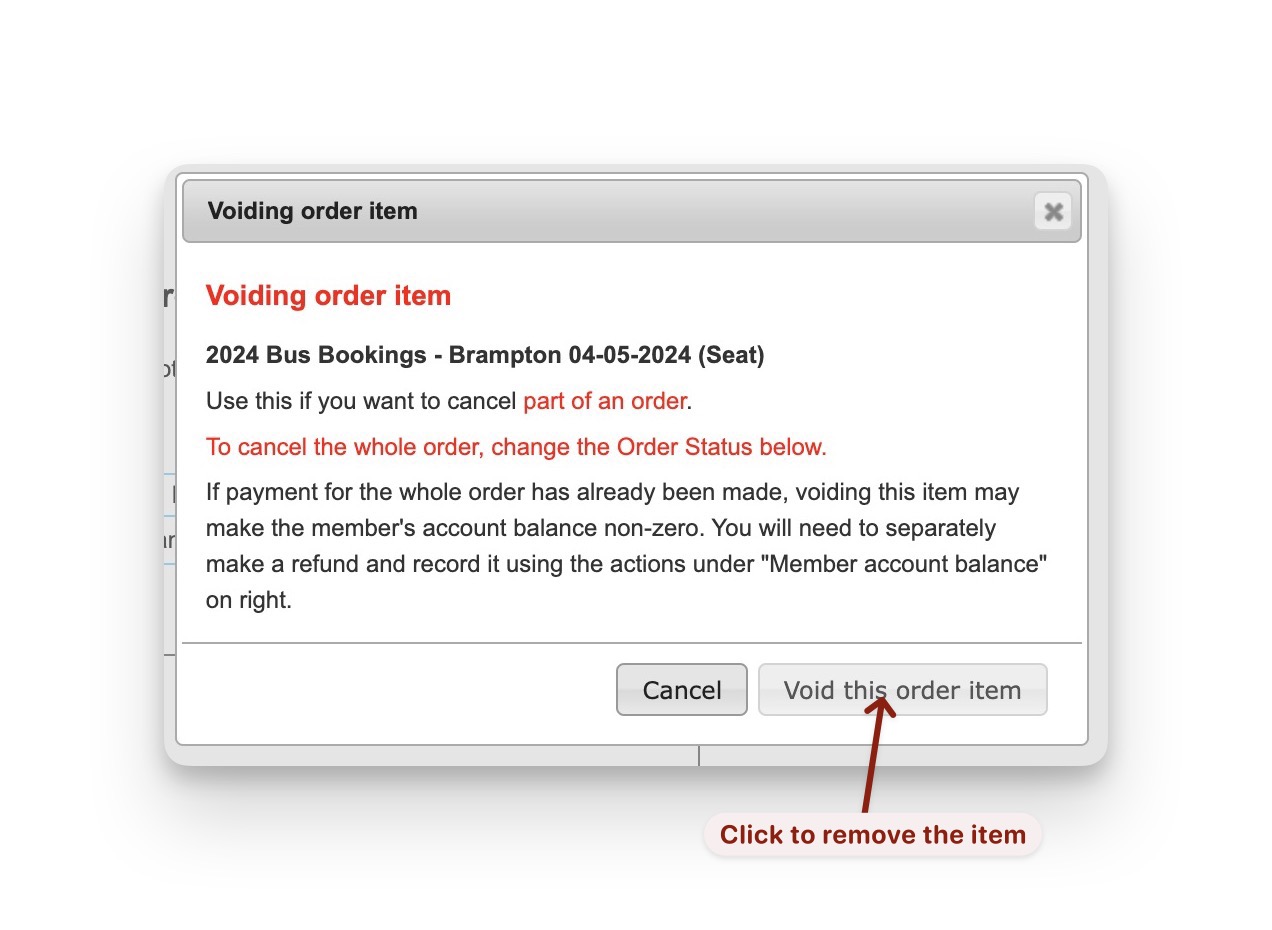
- Click the relevant
voidlink and a warning dialogue appears.
Ignore the warnings about voiding a paid item because we aren’t doing that.
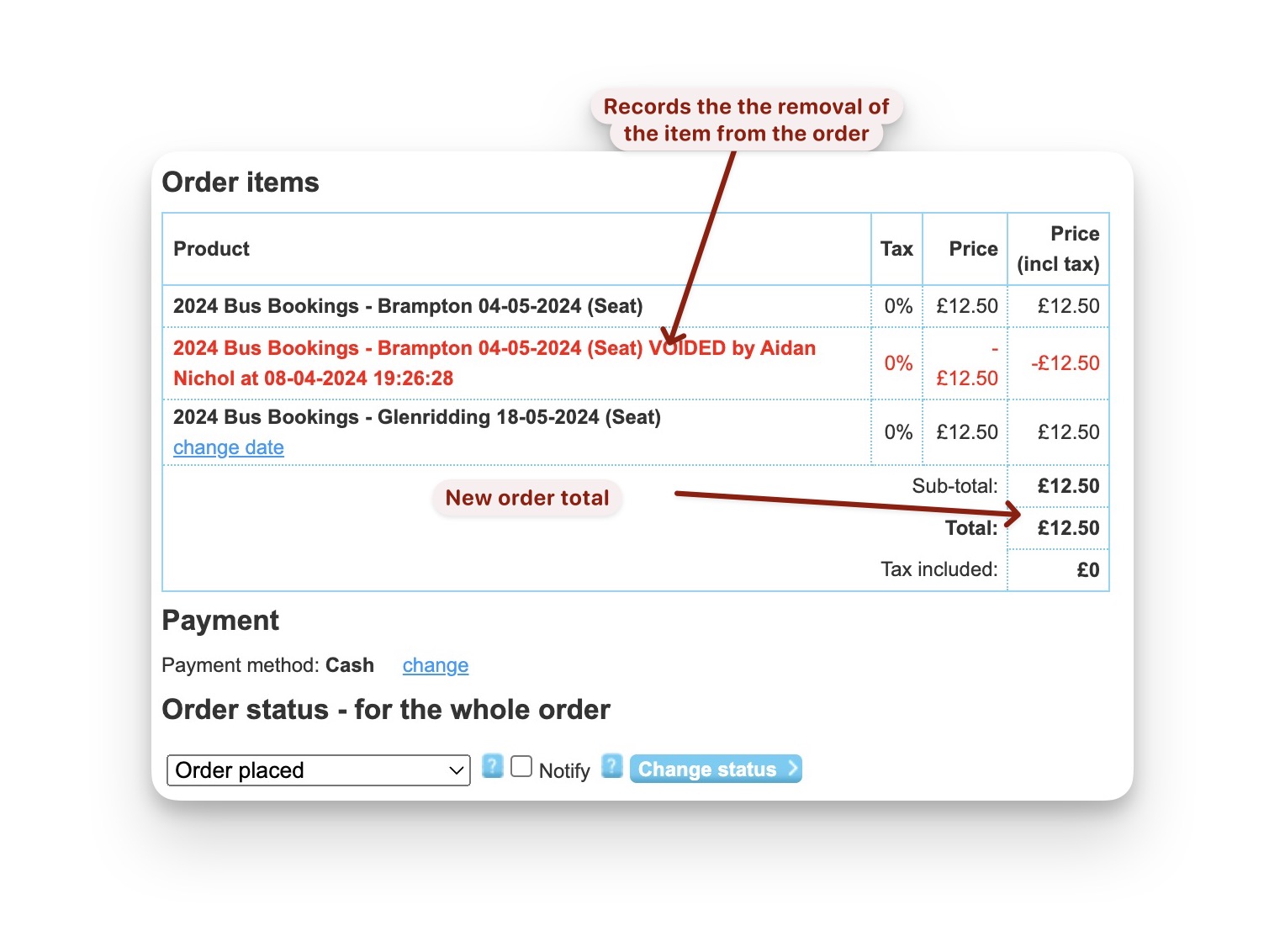
- The updated order now has an adjustment for the removed item and the order total is now updated.
Also note thevoiddisappears from the remaining item.
This process is also valid for orders being paid by Bank Transfer.
The member needs to be aware of the new total to be paid so that implies some sort
of agreement with the member before you void the item.