Direct Debit Order
Cancelling a Direct Debit Order
There is a grey area, especially with DDs, where the order is unpaid but payment is in transit.
Cancelling at this point confuses the tracking of the payment and could cause unpredictable side effects.
There is a short window after the order is placed when a DD order can be safely canceled.
- Bring up the order in question and look at the payment method
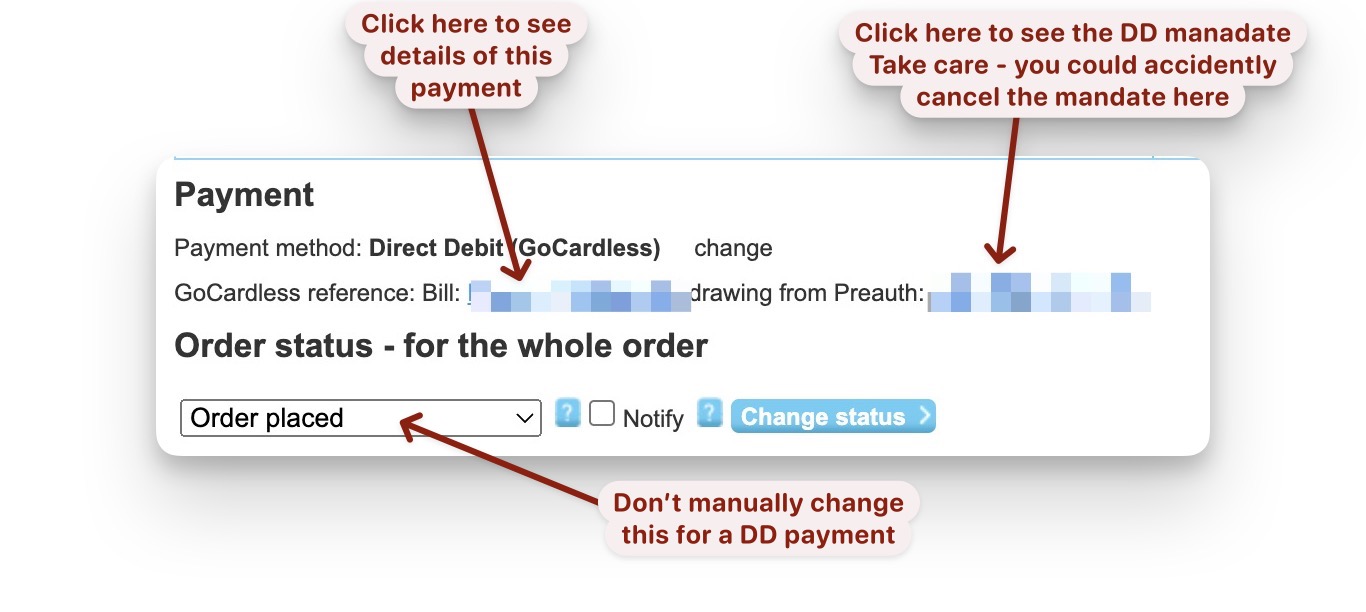
- Click on the left hand link to view the goCardless payment details
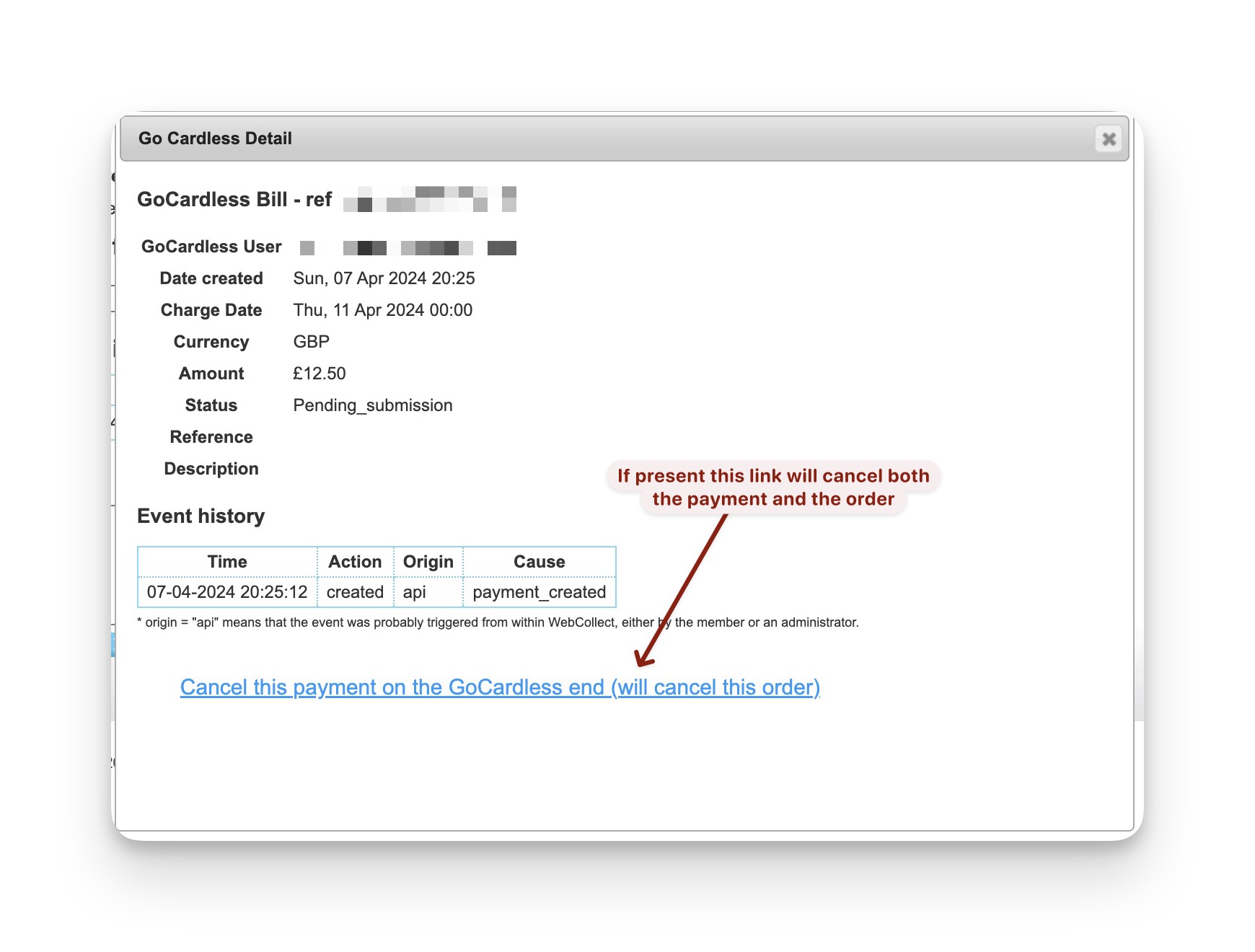
- if the link at the bottom is present then clicking it will cancel
the request to goCardless to collect the money and
the order itself within WebCollect. - If the link is not present then do nothing. With a DD payment do not attempt to change the order status
in the way described below for a cash payment.